A Free Online Scientific Calculator Worth Bookmarking
I built the GPA calculator on this site. The other thing NEB students keep asking me for is a calculator that can actually do coursework math, not just trig and log. Integration. Matrices. Complex numbers. Most "online scientific calculator" results cannot do any of that. They give you a phone calculator with a sin button.
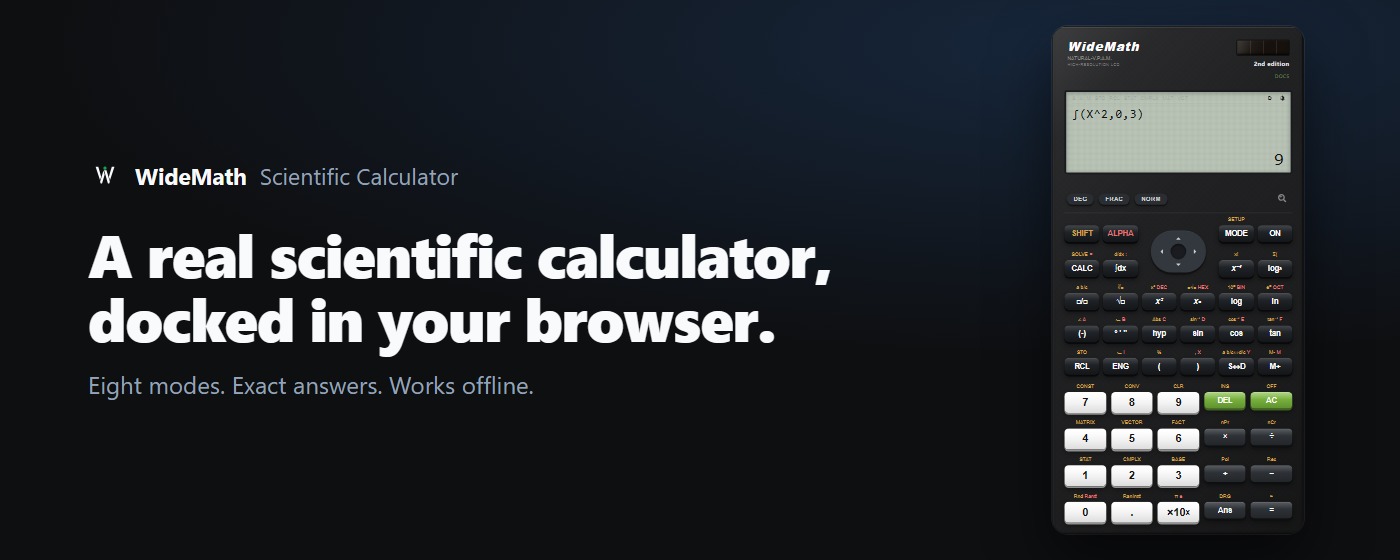
The one I point people to is WideMath's free online scientific calculator. It is a browser rebuild of the Casio fx-991ES PLUS, all 403 functions across 8 modes, same SHIFT and ALPHA keys. If you already own the physical unit you will know where everything is.
Open the WideMath scientific calculator →What it actually does
- Exact answers by default. A fraction stays a fraction, and √8 comes back as 2√2 instead of 2.828. Press S⇔D when you want the decimal.
- Definite integration, differentiation, and summation (Σ), straight from the keypad.
- Matrices and vectors up to 3×3, with determinant, inverse and transpose.
- Complex numbers in both rectangular and polar form.
- Quadratic, cubic and simultaneous equations, including complex roots.
- Statistics with 7 regression types.
- Base-N work: binary, octal, hex, and the bitwise AND, OR, XOR, XNOR, NOT operations. Useful in Computer Science.
- Loads once, then keeps working with no internet, because it installs as a PWA.
The browser extension
There is also a WideMath Scientific Calculator extension for Chrome. It opens the same calculator in the browser side panel, so it sits next to whatever you are reading instead of stealing a tab. If you do numericals with a PDF or a video open, this is the version you want. It is new, so it does not have reviews yet.
Works in Chrome and other Chromium browsers such as Edge and Brave.
Who makes it
WideMath does. They publish free browser based math tools,
and this calculator is the main one. Nothing to install, nothing to pay, no account. It used to
sit at calculator.appynox.com, so if you have that link bookmarked it still works
and lands on the same calculator.
Questions people actually ask
- Is it free?
- Yes. No account, no trial period, no card. Every mode is open.
- Does it really work like a Casio fx-991ES PLUS?
- Closely. Same key layout, the same 403 functions, and SHIFT and ALPHA behave the way the yellow and red keys do on the handheld. The MODE menu has 8 entries: COMP, CMPLX, STAT, BASE-N, EQN, MATRIX, TABLE and VECTOR. One honest difference: the display writes on one line, so you get 19/24 rather than a stacked fraction.
- Can I use it during the NEB board exam?
- No. You cannot take a phone or laptop into the exam hall, so carry your physical calculator. Use this for homework, practice sets and checking answers.
- Does it work offline?
- Yes, after the first load. Install it as a PWA and it keeps working without internet, which matters when the wifi drops mid problem.
- Can I use it on my phone?
- Yes. The layout adjusts to small screens, and you can install it to your home screen like an app.
- Does it do integration and differentiation?
- Yes. Definite integrals, derivatives at a point, and summation, all from the keypad rather than a separate advanced mode.
- Can it solve matrices?
- Yes, up to 3×3. Determinant, inverse, transpose, multiplication, and vector dot and cross products.
- Will it draw graphs?
- No, and that is the honest limit. It computes, it does not plot. For graphs use Desmos or GeoGebra and keep this open for the actual arithmetic.
- Is there a Chrome extension?
- Yes. The WideMath Scientific Calculator runs the calculator in Chrome's side panel so you can keep your notes or a PDF on screen.
- Does it save my history?
- In your browser only. There is no account, so clearing your browser data clears the history and stored variables too.
- What happened to calculator.appynox.com?
- It moved to widemath.com. The old address forwards to the same calculator, so old bookmarks and links keep working.
- Do I still need to buy a physical calculator?
- For the board exam, yes. For everything else at home, this covers it.